
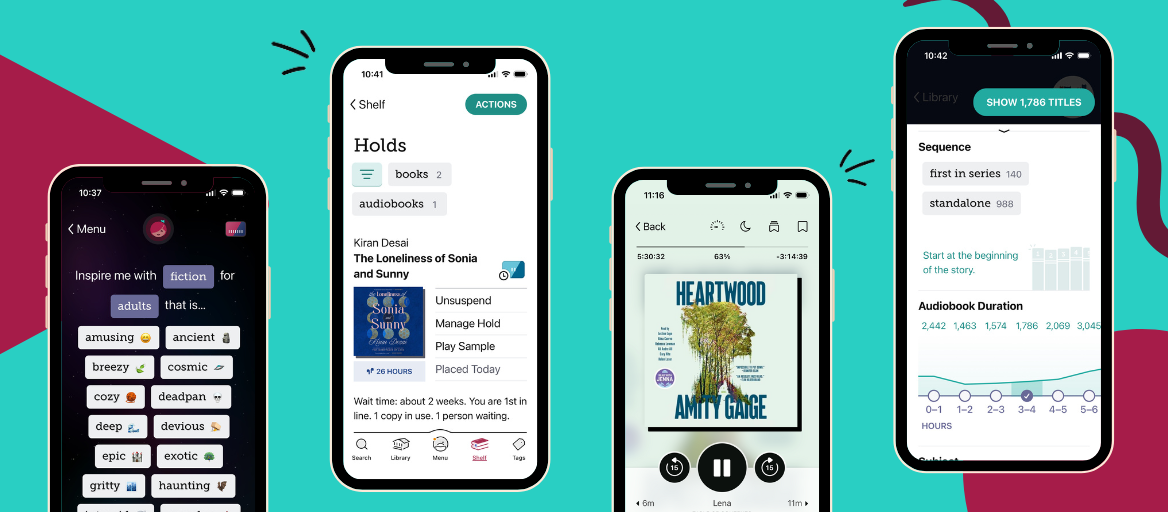
Libby’s year in review: Top 5 new features added in 2025
Hi readers! It’s hard to believe another year is already in the books. This was a huge year, so let’s jump right into what was new in the Libby app in 2025.
1. Hold changes
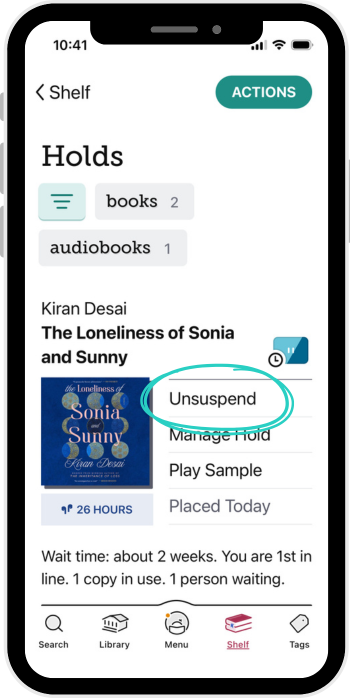 2025 brought a big change to how hold suspensions work. When you suspend a hold, it used to be that you’d select a date for the hold suspension to automatically end. Now, you manually unsuspend the hold when you’re ready for it.
I really like this change. I always felt like the end date I was scheduling was a wild guess. I like that the new system removes that guess work. It also reduces the time books waste in limbo waiting for people to borrow their automatically unsuspended holds. This change gets people their hold faster and prioritizes people who are really looking for the book, which both sound good to me.
RELATED READ: Everything you need to know about holds in the Libby app
2. New filters
A less drastic but very nice change is the addition of some handy filters. This year saw the addition of filters for: the first title in a series, standalone titles, audiobook duration, and when your library added the book to Libby.
I particularly like how well these filters work in combination. For example, “first in series” works nicely with “available now” when you’re looking for something new to read.
RELATED READ: New in Libby: Filter updates for audiobooks & series lovers
3. Content controls
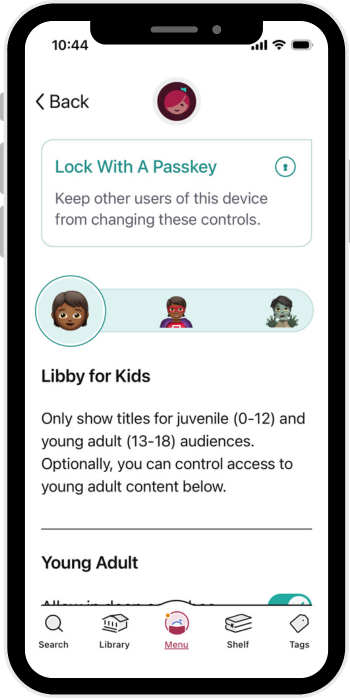 Content controls serve multiple purposes in Libby. “Libby for Kids” hides everything that isn’t juvenile or young adult content and can be further refined. You can also lock content control settings with a passkey (including one on another device) to make these settings more secure.
A less well-known use for content controls is customizing your browsing experience. “Libby for Everyone” doesn’t hide anything by default, but you can hide mature content if that’s not something you’re interested in. You can also use “Libby for Grown-ups” to hide kid’s titles and streamline your browsing and searching in Libby.
Content controls work like app-wide filters that you can use to customize your experience. If you haven’t tried them yet, they’re worth experimenting with.
4. Inspire Me
Inspire Me is a new, AI-powered way to find books at your library.
Here’s how it works:
You pick fiction or nonfiction and an audience—adults, teens, or kids. Next, you pick an open-ended characteristic like “cozy” or “intergalactic.” Then Libby will generate specific inspirations; a recent inspiration I got was “magical worlds where time loops back.” Pick an inspiration and Libby will show you five books from your library that match that inspiration. You’re free to jump around and look at the books from the other inspirations too.
Alternatively, you can use Inspire Me with a tag. For this method, select one of your tags with at least 20 titles saved to it, and Libby will generate recommendations based on that tag. After using Inspire Me with a tag, you need to wait 24 hours before using it again with a different tag. That 24-hour cooldown is only for the tags method, you can use the other mode as much as you like.
A neat thing about Inspire Me is it focuses on books that are available right now at your library. In other words, Inspire Me goes beyond standard book recommendations by helping you find new books and writers that you may never have otherwise encountered.
RELATED READ: Need a new read? Inspire Me in Libby can help you find your next favorite book.
5. An extra hour
Did you know that if you're actively reading a loan when it expires, you can request an extra hour to finish it—even if someone is waiting for it? The reader or audiobook player needs to be active and visible for this offer to be made, but this feature can be an absolute lifesaver and is worth keeping in mind. This might be my personal favorite update of 2025.
Wrapping up
Whew, what a year! 2025 was packed with Libby updates, but next year looks to be equally exciting. Happy New Year readers; see you in 2026!
Published Dec 16, 2025

Kyle Lewis
Kyle Lewis is a writer for Libby Life and technical writer at Libby. Studying philosophy in college, Kyle developed a particular appreciation for short, clear writing. When not scribbling, he can most often be found reading weird fiction, playing cards, or wandering the metro parks.