

5 “hidden gem” audiobook features in the Libby app
If there’s one thing to know about me, it’s that I love insider info when it comes to my tech. Show me an app and I’ll want to know the secret sauce, the niche tricks that only a power user would know. Are you the same? If so, read on and I’ll share my top tips for using and enjoying the Libby audiobook player this summer, whether you’re listening in the car, on a walk, or while doing a mundane summer chore (mowing the lawn endlessly, anyone?).
TIP 1: Skip between chapters
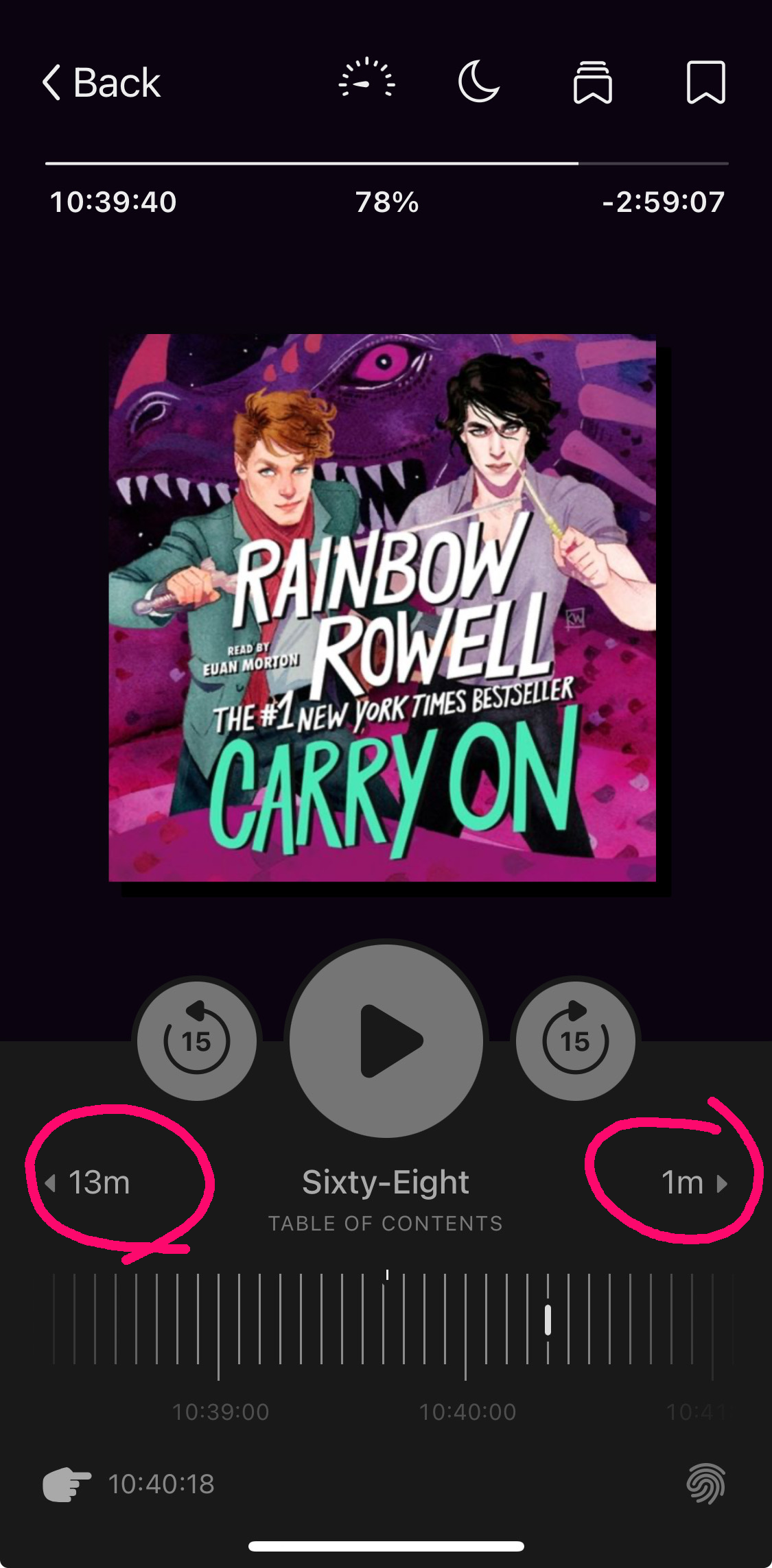 You’re already aware that you can increase or decrease the speed of the audiobook player, right? I use that feature all the time so I can either deep dive into the nuance of narration or speed through my long list of listens.
But did you know you can also skip between chapters? Some folks may like this feature because it allows them to jump past content that doesn’t interest them. I use it when I fall asleep before my sleep timer ends so I don’t have to try and figure out where in the story I dozed off. I just tap back through previous chapters until I reorient myself.
TIP 2: Swipe to a new section
.gif) While skipping chapters is great for getting myself to the start of a specific section of an audiobook, I can also use my finger to swipe across the jacket cover in either direction to get even more precise with rewinding and fast-forwarding in the book.
While skipping chapters is great for getting myself to the start of a specific section of an audiobook, I can also use my finger to swipe across the jacket cover in either direction to get even more precise with rewinding and fast-forwarding in the book.
I’ve used this most frequently to replay something I just missed, to listen to a specific quote or passage again when it’s had an impact, or to quickly and easily move past a section of audio, one small jump at a time.
TIP 3: Set a sleep timer
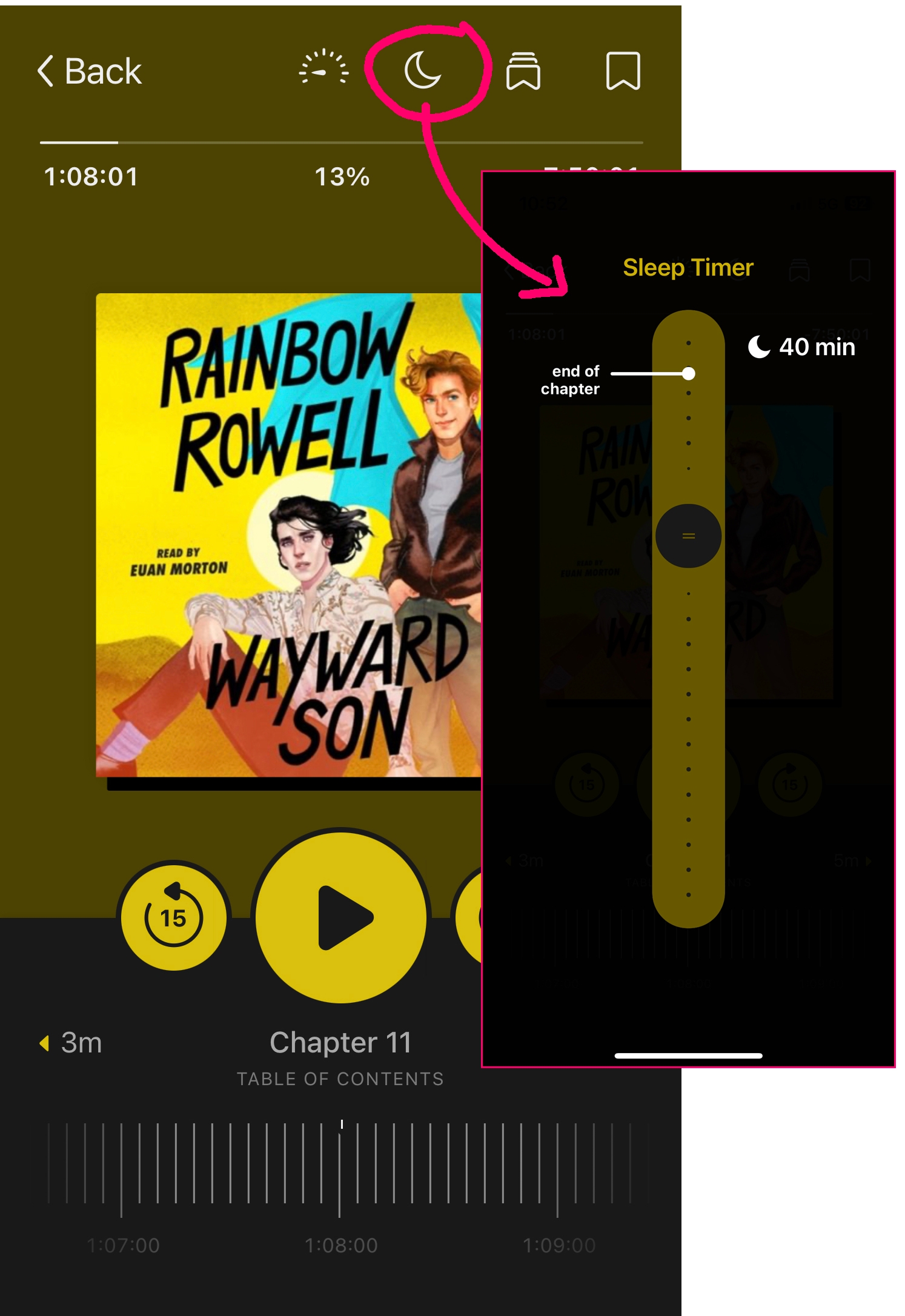 Yay, sleep timer! My favorite Libby audiobook feature of all time.
And yes, while I do use the timer to “set it and forget it” if I’m listening before bed, I also like to employ it a slightly different way. When I’m I am facing a full day of Tasks(TM)—cleaning different rooms in the house, maybe, or driving all over town—I like to set the sleep timer so I know exactly how long I am spending on things.
Power cleaning the living room? Thirty-minute timer. Driving to the post office, the gas station, and then the bank? One hour, tops.
Something about pairing mundane tasks with the joy of a good audiobook makes me feel accomplished and fulfilled.
TIP 4: Jump to a recent place
If you assume from me needing a sleep timer to complete daily tasks and chores that I often lose track of what I’m listening to, well, rude call-out, but also, you’re not wrong.
Let’s say I’m deep into a nonfiction title related to one of my niche interests and something the narrator says sparks me to jump back to a chapter we’ve already covered. A quick and easy way to get back to where I was once I’ve revisited that earlier topic is to use the Recent places panel.
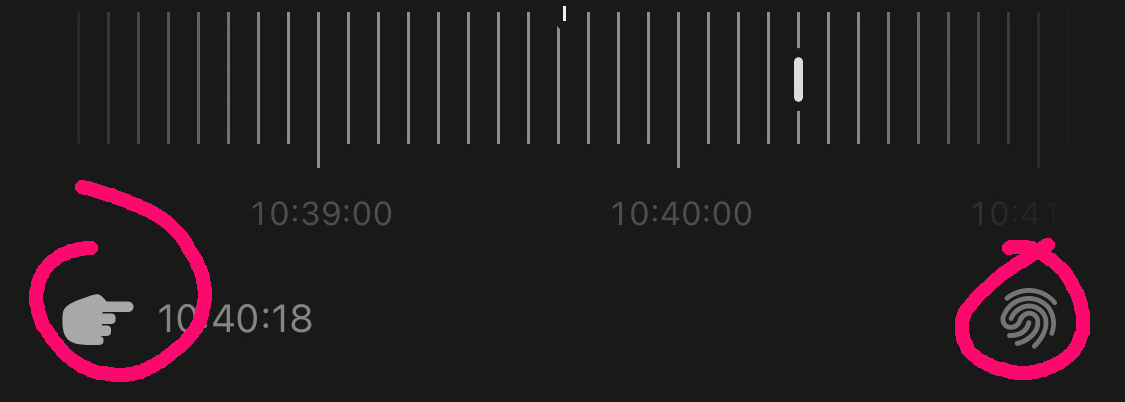
Using the finger pointing icon located at the bottom of the Libby app will jump me back to my most recent position in the audiobook, or I can use the fingerprint icon to see a list of recent places so I can select the specific location I’m interested in. I’ve used these icons countless times to treat my audiobook like a research resource rather than a straightforward, linear tale.
TIP 5: Bookmark and annotate
Many of us can’t sit and consume a book cover to cover in a single sitting so we lean on bookmarks in both our print and ebooks. But did you know there’s a bookmark option for your audiobooks, too?
Tap the bookmark icon in Libby to set a place to return to again—maybe a favorite quote or something you want to play for a friend later—or you can tap and hold that same icon while the audiobook is playing to “highlight” a passage.
Both are great options for returning to a passage later, but the latter is ideal if you want to add a written note to the passage you selected, also! (Pro-tip: there are multiple highlight colors to choose from if you like to color-code your notes!)
I’ve used this tip countless times for book clubs and personal research. It’s a great way to keep track of important sections and remember what I found meaningful and profound across my titles.
Go forth and listen!
Whether you’re an uninterrupted listener (hydrated, moisturized, in your lane), or a task-running chaos monster like me (bless!) use these Libby audiobook tips to your best advantage this summer and beyond! Happy listening 🎧
RELATED READ: 7 audiobook tricks in the Libby app for your best road trip ever
Published Jun 24, 2025

Sydney Kalnay
Sydney manages the Libby training team where she uses a spark of magic to transform complex concepts into engaging learning experiences that inspire and empower. After work, Sydney is probably hunkered in a corner writing, hanging out with her cat-familiar, and listening to nothing but Nothing But Thieves.