
Staff picks: 10 Libby hacks & features we can’t live without
You already know that Libby makes it easy to access ebooks, audiobooks, and more—anytime and on any device. But what if I told you there are a handful of tips that could make browsing, borrowing, and enjoying even easier?
I polled my colleagues at Team Libby about their favorite hacks for the app and for turning yourself into a Libby power user. Check out their responses, below!
1) Listen at (any) length
I love Libby’s Audiobook Duration Filter, which makes it easy to find audiobooks that fit a listen of any length! – Kate F., Digital Content Librarian
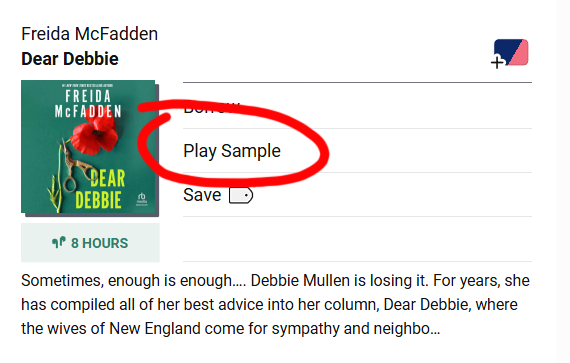
2) Just a sample
My favorite feature is the sample button, especially if you're just browsing! Your time and borrow limits are precious, don’t waste them on books that give you the nope. Read the sample first before borrowing, or more importantly, placing a hold. – Liz T., Digital Content Librarian
3) Accessibility wins
As someone with vision issues, being able to adjust the font size easily has been game changing for me! – Rachel K., Senior Manager, Collection Development
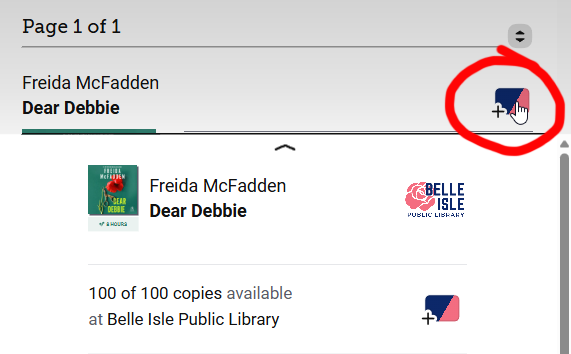
4) Copy that
If you click on your library card for a specific title, you can see how many copies of that title are currently available. This came up in my book club because we try to pick titles that everyone can access from the library! – Madison S., Marketing and Communications Specialist
5) Tag—you’re it!
I like tagging my DNF titles, so I know not to borrow them again if I wasn't "feelin' it". – Shannon K., Marketing Digital Strategist
If a book interests me, but I’m not ready to read it, I add a TBR tag to the title. This makes sure I’m not putting every book on hold and then forgetting why I wanted to read the title when it becomes available. – Kristin R., Digital Content Librarian
6) Browse (digitally) at your leisure
I'm a browser. I love visiting my branch and perusing their curated collections—sometimes local authors, sometimes it's a theme or holiday, staff picks, new releases. In Libby, I do the same by browsing my library's digital curated collections. I also like to pop over to the "Date Added" filter and see what my library recently purchased! – Annie S., Marketing and Communications Specialist
7) (High)light up your listening
I’m not sure how many folks actually know about the feature, but you can highlight in audiobooks by holding down the bookmark button. It creates a highlight on the timestamp just like in an ebook. – Bobby P., Account Executive
8) Audio inspo
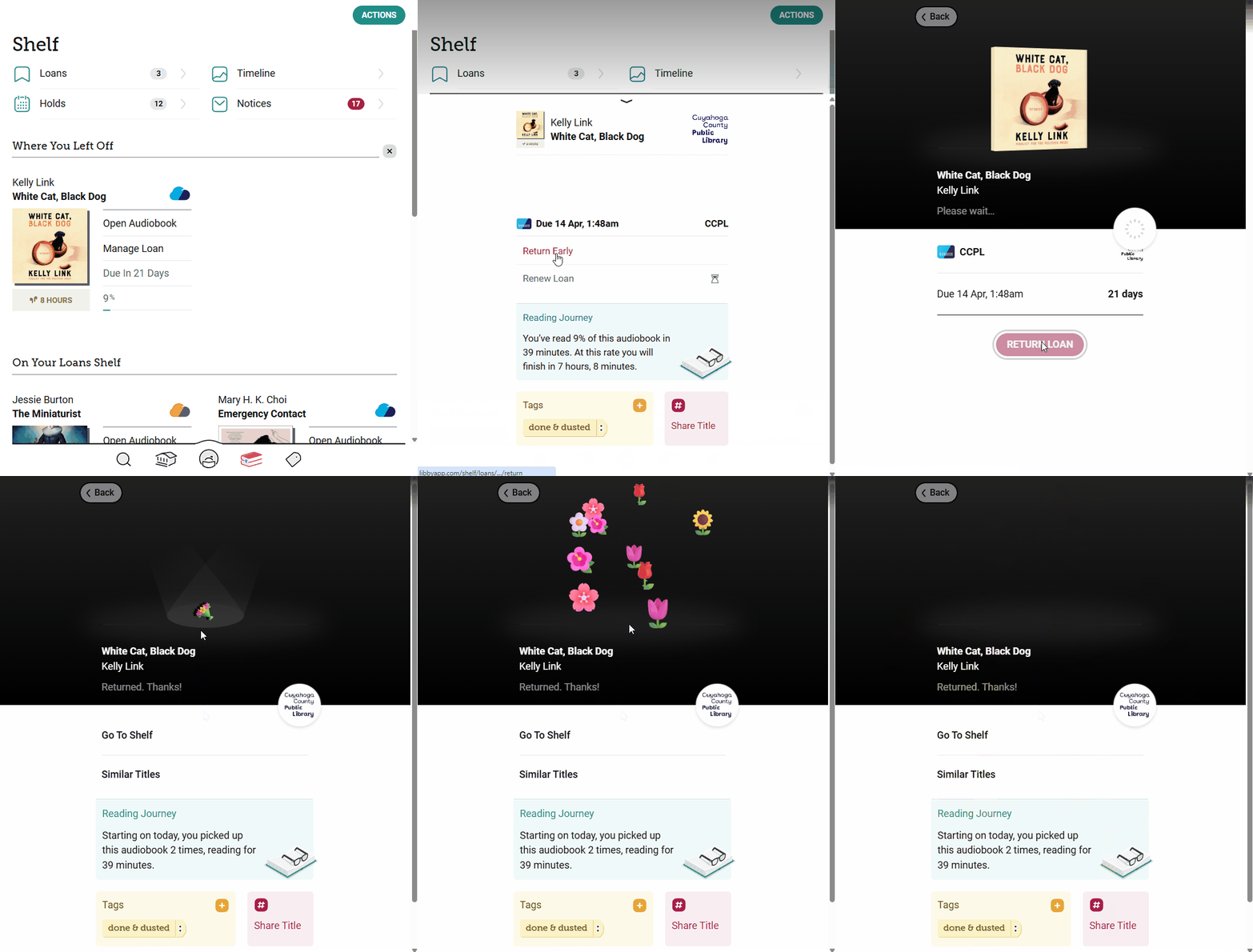
I like to search by my favorite audiobook narrators to see if anything else they've done strikes my fancy when I'm feeling uninspired. And the tried and true: I love returning early for the flowers and actively managing my loans shelf instead of just letting things accumulate. – Emma D., Product Trainer
9) Sharing is caring
Since I’m a big reader, I am always talking about and recommending books, so my favorite Libby hack is sharing titles. I can open a title in Libby mid-conversation, click the share icon, and send a hyperlinked thumbnail in a text. When my conversation partner clicks the image, they’ll be directed to the title details where they can tag it, borrow it, or place it on hold. It’s beautiful! – Jane W., Digital Content Librarian
10) Next up
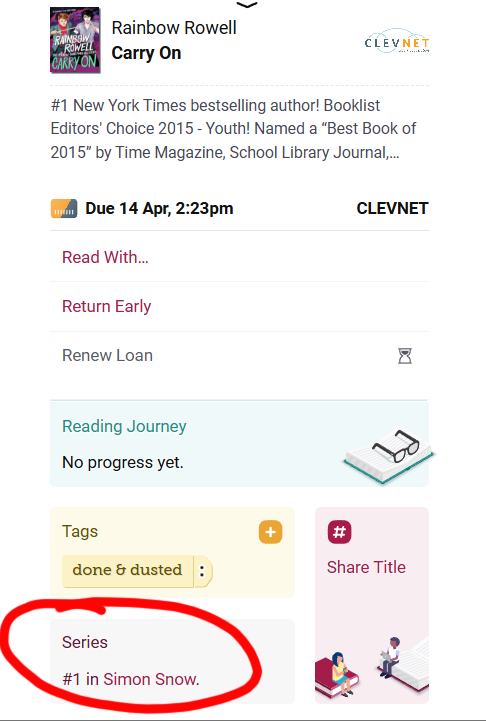
As someone who reads a lot of series, I love how easy it is in Libby to quickly get to the next book in the queue without needing to search. You can access it from everywhere too: In a list (“X in series”), on the Title Details, or from “Manage Loan” (look for Series info). – Casey B., Quality Assurance Team Lead
For even more Libby hacks, check out which Libby features readers loved most!
👉 Readers’ choice: 19 of your favorite features in the Libby app
Hope you find a new favorite Libby hack from this list! 🎉
Published Apr 27, 2026

Sydney Kalnay
Sydney manages the Libby training team where she uses a spark of magic to transform complex concepts into engaging learning experiences that inspire and empower. After work, Sydney is probably hunkered in a corner writing, hanging out with her cat-familiar, and listening to nothing but Nothing But Thieves.