

Book clubs tips: How Libby can help you read, organize & stay on track
Nothing elevates a good read quite like a book club. It could be the delicious snacks, the social time, or an opportunity to get way more out of book than you would with just a solo read. Whether you’re already in a local book club or looking to join a new one, the Libby app can be your book club BFF for finding reads, keeping notes, organizing your club’s picks, and more. Even if you’re not in a book club, Libby is a great tool to share your favorite reads among friends and fellow book buds.
Before you dive into your next group read, check out our favorite tips and tricks for using Libby to level up your book club experience.
1. Share any title you see in Libby with a friend.
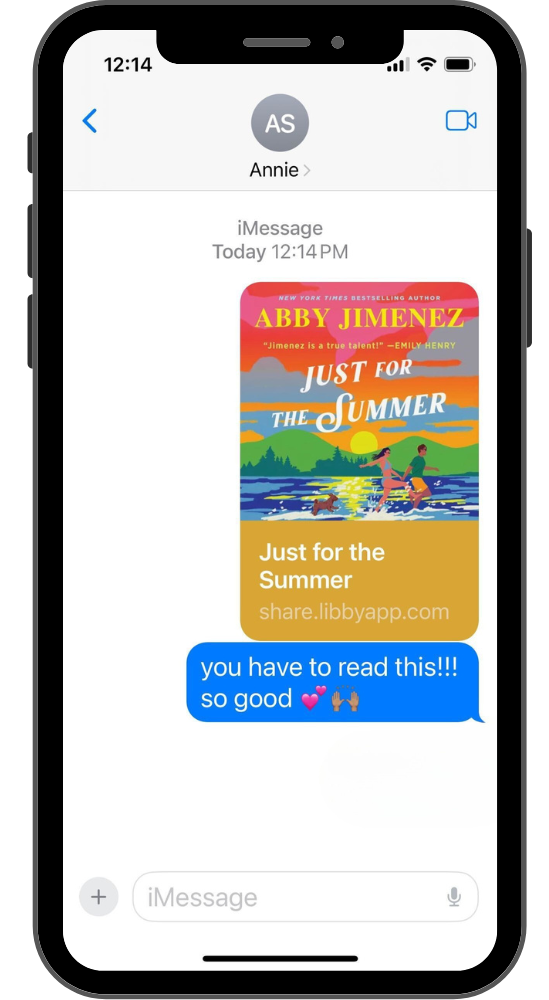 Tap on the title’s details page and click on the share icon. Send that link to your book bestie and they can borrow the same title from their local library in Libby.
It works perfectly for formal book clubs or for impromptu buddy reads.
2. Looking for a book you can all read together? Try Libby’s book club!
Several times per year, readers can participate in Libby's free, global, digital book club with no waitlists. You can usually borrow both the ebook and the audiobook, as well as find supplemental material like notes from the author, reading group guides, read-alikes and more.
Make this a regular part of your book club meetings with a title that’s available without waiting. Check out Libby Life for updates on the latest book club pick.
RELATED READ:10 books that will get everyone talking at your next book club
3. Save titles to a Book Club tag.
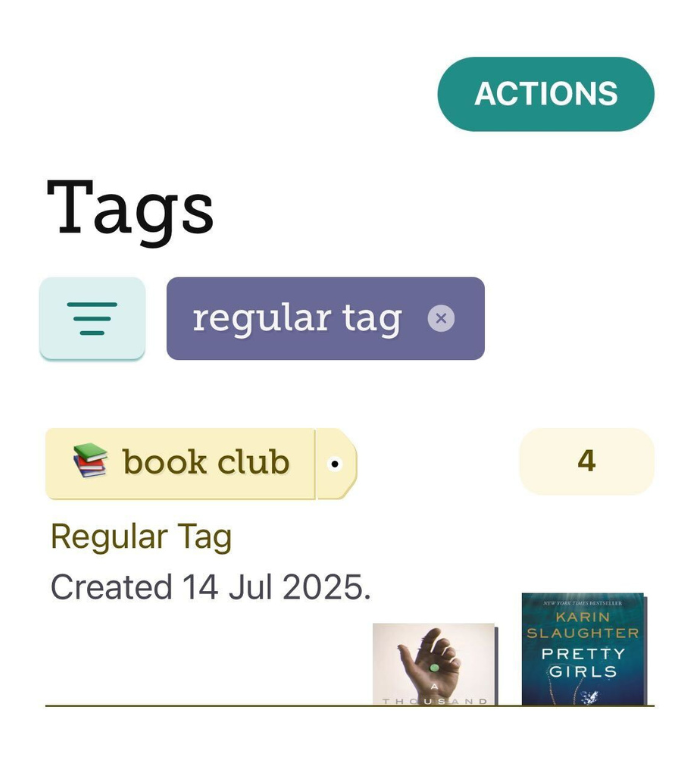 Tags are a great way to keep track of books you want to read or titles you know are coming up for your book club.
By saving them to a tag for later, you can easily read them when they’re available, or you can even keep a long list of titles you want to propose for your next book club meeting.
4. Use the notes and highlights features in books or audiobooks!
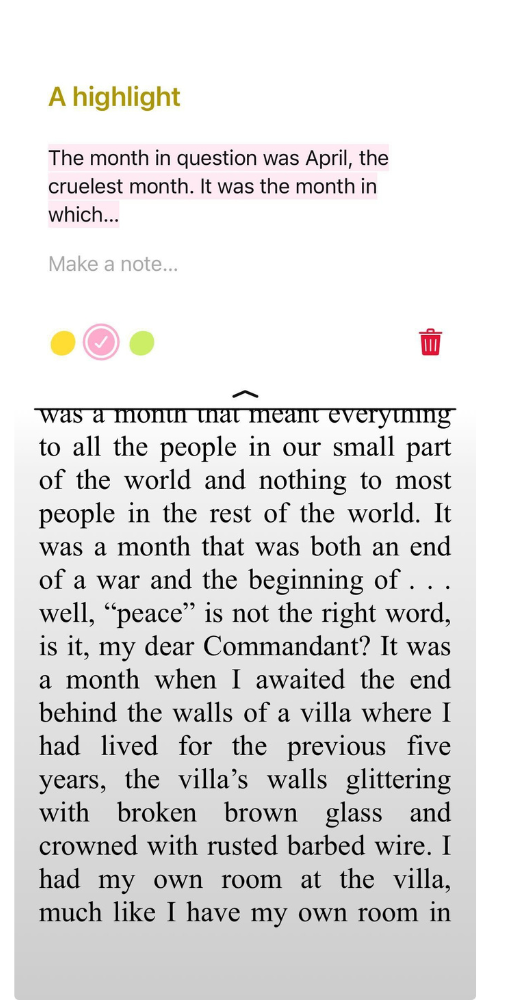 Keep track of discussion-worthy passages and quotes you want to share with your fellow book clubbers. Here’s how you can easily add notes and highlights in Libby:
To make a note or highlight in a book:
1. Tap and hold a word until it's highlighted, then drag to select your desired passage.
2. Tap Highlight to use the most recent highlight color, or select another color next to "Highlight."
3. To leave a note: Tap the highlighted passage, tap Make a note, and add your note.
If you’re a listener, you can also add notes and highlights to audiobooks too!
5. Find a title in your preferred format.
Libby often offers titles in both ebook or audiobook format. If you like to listen to your books on the go, you can try the audiobook ahead of your next book club meeting. If you prefer to sit down with the text, grab the book in Libby and away you go!
Even if you’re a die-hard print lover, sometimes you may not be able to get your hands on the book in time. Libby comes in handy for borrowing the digital version instantly—and it’s free, thanks to your library.
6. Suspend your hold to sync your reading schedule.
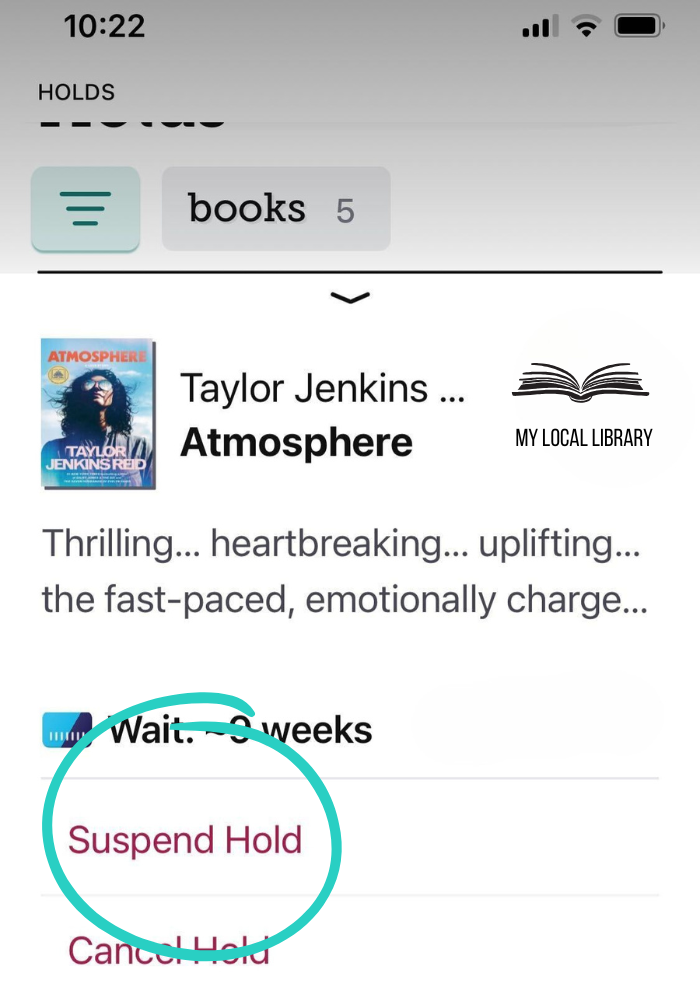 If you know an upcoming book your group will be reading, but there’s a wait list, go ahead and put the title on hold and suspend your hold before it's ready for you to borrow.
Suspending a hold lets you move up a title's wait list without the title becoming available for you. Unsuspend your hold just before it's time to start reading for book club.
Whether you're a seasoned book clubber or just getting started, these Libby tips can help you take your book club digital without losing the magic of a great group discussion.
RELATED READ: Book club bites: Snack pairings for your next meeting or solo read
Published Jul 15, 2025

Emma Dwyer
Emma Dwyer is a product trainer at Libby. She is also a former co-host of the Professional Book Nerds podcast. Prior to joining the training team, Emma was a Libby librarian. She enjoys reading, Love Island (UK), travel (to warmer climates like her home state of California), coffee, and hanging out with her family and dog.